How to Download YouTube Videos Safely and Quickly (2025)
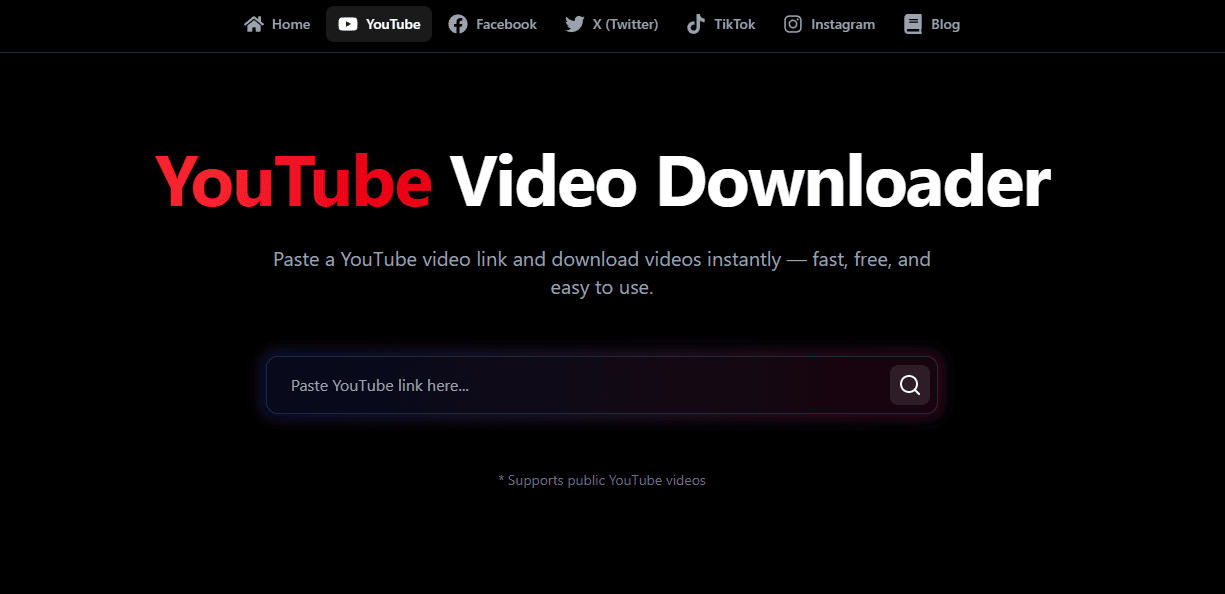
Wondering how to download YouTube videos safely and quickly? QuickSaver YouTube Video Downloader is the all-in-one solution for saving 4K, HD, and MP3 content without installing sketchy software.
YouTube is the world's biggest library of video content, hosting everything from educational lectures and cooking tutorials to viral entertainment and music videos. But there is one major limitation: you can't officially download content for offline viewing on your laptop or camera roll to share with friends.
That is where learning how to download videos from YouTube becomes an essential skill for modern internet users. Whether you are prepping for a long flight, saving data on your mobile plan, or archiving a favorite clip before it gets deleted, having a reliable tool like QuickSaver changes the game.
In this comprehensive guide, we will show you exactly how to download a youtube video in the highest quality possible—completely free, safe, and legal for personal use.
Why Use QuickSaver to Download YouTube Videos?
Before we jump into the steps, you might ask: why not just use a random app store app? The answer is "E-E-A-T"—Expertise, Authoritativeness, and Trustworthiness.
Most "free" downloaders are riddled with:
- Malware: Risky software installs that track your data.
- Low Quality: Capping your downloads at 720p or 360p.
- Watermarks: Ruining the viewing experience with logos.
QuickSaver is different. We built a cloud-based engine that processes the video on our secure servers, giving you the clean file directly.
- No Installation: Works instantly in your browser (Chrome, Safari, Edge).
- 4K Support: We support resolutions up to 4K (Ultra HD).
- Privacy First: We don't track your history or store your files.
Step-by-Step: How to Download YouTube Videos on Desktop
If you are on a PC (Windows), Mac, or Linux machine, this is the fastest method. It works for standard videos, Shorts, and even long documentaries.
1. Find Your Video
Go to YouTube.com and locate the video you want to save. It could be a music video, a TED Talk, or a funny Short.
2. Copy the URL
Click the URL bar at the top of your browser, right-click, and select "Copy".
- Alternative: Click the "Share" button below the video player and choose "Copy Link".
3. Paste into QuickSaver
Navigate to the QuickSaver Homepage (or our dedicated YouTube Downloader page).
- Right-click in the input box and select "Paste".
- Click the "Download" button.
4. Choose Format and Quality
After a few seconds, our system will present quality options.
- Video (MP4): Choose from 1080p (HD), 2K, or even 4K if available.
- Audio (MP3): Select this if you only want the sound/music.
Click the download button next to your choice, and the file will save to your computer's "Downloads" folder.
How to Download a Video from a YouTube App (Mobile)
Need to save a video directly to your iPhone or Android gallery? The process is slightly different but just as easy.
On Android
Android's open file system makes this a breeze.
- Open the YouTube App.
- Tap "Share" > "Copy Link".
- Open Chrome and go to QuickSaver.
- Paste and Download.
- The file will appear in your Gallery or "Files" app.
On iPhone (iOS)
Apple is stricter, but we have a workaround using Safari.
- Open the YouTube App and copy the link.
- Open Safari (important: use Safari, not Chrome on iOS).
- Go to QuickSaver, paste, and download.
- A pop-up will ask "Do you want to download...?". Tap "Download".
- Tap the small "Aa" or arrow icon in the Safari address bar > "Downloads".
- Tap your video, then the "Share" icon (box with up arrow) > "Save Video".
- Now it is safely in your Photos app!
Advanced Tips: Formats and Quality
When figuring out how to the download youtube videos (specifically high-res ones), you need to understand file types.
MP4 vs. WebM
- MP4: Best for compatibility. Works on every TV, phone, and computer.
- WebM: Google's efficient format. Smaller size, slightly better quality, but might not play on an old iPhone without an app (like VLC).
- QuickSaver Recommendation: Always stick to MP4 for the best experience.
Why Can't I Find 4K Audio?
Actually, 4K is for video. Audio is measured in bitrates (kbps). YouTube typically streams audio at a maximum of 128kbps or 256kbps (for Premium). QuickSaver extracts the highest quality audio track available from the source, ensuring you get crystal clear sound.
Troubleshooting: Common Issues
Struggling? Here is how to download youtube video content when things go wrong.
"Video Not Found" Error
- Check the Link: Did you copy a playlist URL instead of a video URL? Make sure it's a single video.
- Private Videos: We cannot access videos marked as "Private". The video must be "Public" or "Unlisted".
- Age Restriction: Some heavily restricted content may block server access.
"Download Failed"
- Storage Space: Check if your device is full. 4K videos are huge!
- Browser: Try clearing your cache or using Incognito mode.
Legal and Ethical Usage (Important!)
This guide on how to download a video from a youtube source is for educational purposes.
QuickSaver respects the rights of content creators.
- Personal Use Only: You should only download videos for personal offline viewing (time-shifting).
- Copyright: Do not re-upload someone else's work as your own. That is piracy.
- Creative Commons: Look for videos with a "CC" license if you plan to remix content.
Always support creators by liking and subscribing to their channels!
Frequently Asked Questions (FAQ)
Is QuickSaver free?
Yes! You can learn how to download videos from youtube with us 100% free, forever. We are supported by minimal, non-intrusive ads (or no ads at all during our beta period).
Can I download YouTube Shorts?
Absolutely. The process is identical. Copy the Short's link, paste it in QuickSaver, and you're good to go.
Is it safe?
Yes. Unlike desktop software that requires admin access to your PC, QuickSaver runs in the browser sandbox. You download a pure media file, nothing else.
Conclusion
Now you know how to download YouTube videos like a pro. Whether it's a 4K travel vlog for your big TV or a music track for your workout, QuickSaver is your trusted companion.
Ready to start? Scroll back to the top or visit our Homepage to save your first video now.