How to Save Videos from Any Website (Step-by-Step Guide)

Ever found a viral clip or an educational webinar and wondered how to save content without installing risky software? Whether it is a YouTube tutorial or a viral TikTok, QuickSaver is your universal video downloader for saving content across the web. This guide will show you exactly how to save videos from internet sources and save video from link locations with ease.
The internet is a vast, ever-changing library of information, but it has one major flaw: content can disappear in an instant. A creator might delete their profile, a platform might change its terms of service, or a video might be taken down due to obscure regional restrictions. In 2025, knowing how to save videos online is no longer just a "nice-to-have" trick—it is a digital survival skill for researchers, marketers, and casual users alike.
In this comprehensive, 1200-word deep dive, we will walk you through the ultimate methods to save internet video content from virtually any platform. From the one-click simplicity of QuickSaver’s universal box to technical "Inspect Element" tricks, this is the only guide you will ever need to learn how to save videos online safely.

The Problem: Why Some Videos Are So Hard to Save
Before we get into the "how," it is important to understand the "why." Most major platforms like YouTube, Facebook, and Instagram thrive on "walled gardens." They want you to stay on their site so they can show you more ads. Because of this, they intentionally hide the direct download links within complex code.
This is why many users search for how to save videos from internet sources only to find "sketchy" sites filled with pop-ups and malware. At QuickSaver, our mission is to break down these walls safely, providing a clean, browser-based bridge between the video source and your device.
Why QuickSaver is the Best Way to Save Video from Link Sources
When you need to save video from link locations, you usually have two choices: download a dedicated app (which often steals your data) or use a web-based service.
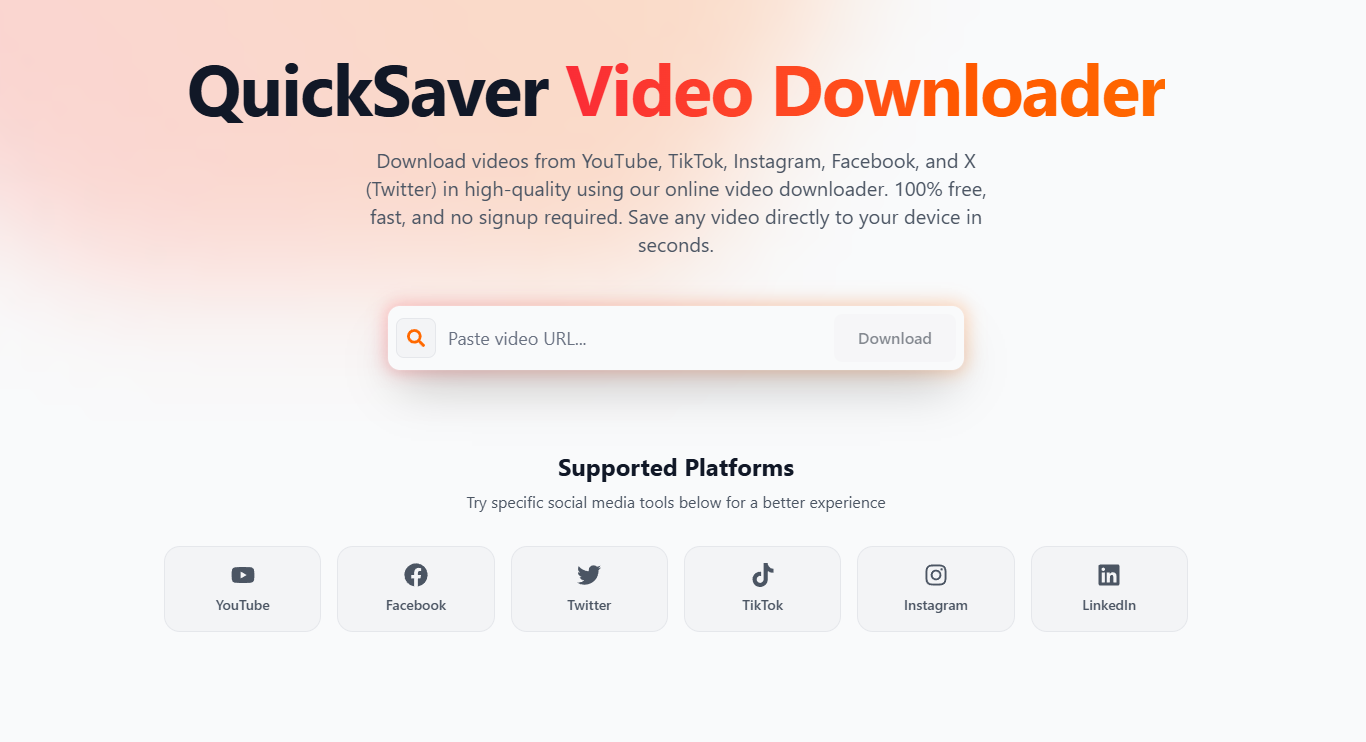
QuickSaver is engineered to be the ultimate universal downloader. Unlike other tools that require you to visit a specific "YouTube page" or "Facebook page," our homepage features a Smart Detection Engine.
One Box, Every Platform
You can paste links from:
- YouTube (YT): 4K, 1080p, and MP3 audio.
- Facebook (FB): Public videos, reels, and stories.
- Instagram (IG): High-quality reels and IGTV.
- LinkedIn (LN): Professional webinars and thought leadership clips.
- Pinterest (Pin): Creative video pins and tutorials.
- Twitter (X): Viral news clips and threads.
- TikTok: HD videos without the annoying watermark.
Think of it as the "Swiss Army Knife" of video tools. You don't need seven different bookmarks; you just need one.
Pro Tip: If a video is behind a login (like a private Facebook group), most online tools will fail. Always ensure the video is set to "Public" or "Unlisted" before attempting to save internet video content via a link.
Method 1: The One-Click Universal Method (Recommended)
This is the fastest and safest way to save videos online in 2025. It works on PC, Mac, Android, and iPhone without any setup.
Step 1: Copy the Source URL
Navigate to the website hosting the video. Look for the "Share" button or simply copy the URL directly from your browser's address bar.
- For Mobile: Tap "Share" > "Copy Link".
- For PC: Right-click the URL and select "Copy".
Step 2: Navigate to QuickSaver.net
Open your favorite browser (Chrome, Safari, or Edge) and head to our homepage. Our system is optimized for speed, so the page should load in under a second.
Step 3: Paste and Detect
Right-click in the central input box and select "Paste". Our Smart Detection Engine will immediately analyze the link to see which platform it belongs to.
Step 4: Choose Your Quality
Within seconds, you will see a list of available quality options. Whether you want 4K Ultra HD for your home theater or a small MP4 file for your phone, just click the download button next to your preference.
Method 2: Tech-Savvy Trick — The "Inspect Element" Method
If you are dealing with a niche website that doesn't have a dedicated downloader, you can sometimes find the "raw" video link yourself. This is an excellent backup for those learning how to save videos from internet sources that are heavily protected.
The Step-By-Step
- Open Developer Tools: Right-click anywhere on the page and select "Inspect" (or press
F12). - Go to the Network Tab: Click on the "Network" tab at the top of the developer pane.
- Filter for "Media": Click the "Media" sub-tab to only show video and audio files.
- Refresh the Page: Play the video. You should see a new entry appear in the list.
- Copy and Open: Right-click that entry, select "Open in new tab," and then right-click the video to "Save Video As...".
Warning: This method is powerful but can be blocked by websites using "blob" or "m3u8" streaming protocols. For those cases, a tool like QuickSaver is still necessary.
Method 3: Mobile Shortcuts for iPhone and Android
Saving videos to your phone's camera roll is the #1 request we receive. Here is how to do it efficiently.
On Android
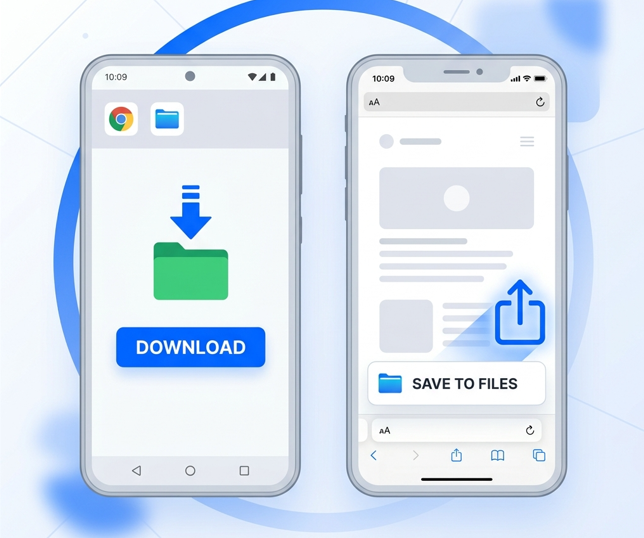
Android's file system is open, meaning once you use QuickSaver to save video from link sources, the file goes directly into your "Downloads" folder. You can then move it to your Gallery or share it on WhatsApp instantly.
On iPhone (The Safari Hack)
Apple is stricter with file downloads. Many users think they can't save videos online with an iPhone, but they can!
- Copy your link and open Safari.
- Go to QuickSaver.net and follow the download steps.
- Tap the "Downloads" icon in the Safari bar.
- Once the file is downloaded, tap it and select "Save Video". This moves it from your "Files" app to your "Photos" app.
Why Security and Quality Matter
When you search for how to save videos online, you are often playing with fire. The "Video Downloader" niche is notorious for malicious sites.
At QuickSaver, we lead with expertise and a commitment to user trust:
- No Executables: We never ask you to download software. Everything stays within the browser's sandbox.
- Encrypted Connections: Our site uses HTTPS to ensure your data is safe while processing.
- Privacy-First: We don't log what you download. Your digital footprint belongs to you.
Key Takeaway: If a site asks for your social media password to "download a private video," close the tab immediately. No legitimate downloader needs your login credentials to process a link.
Common Use Cases: Why People Save Videos
Understanding how to save videos from internet sites opens up a world of possibilities for different professionals:
1. The Offline Traveler
If you are heading on a 12-hour flight, Wi-Fi is either non-existent or overpriced. Saving a curated playlist of Pinterest tutorials or YouTube documentaries ensures your time remains productive.
2. The Social Media Manager
To analyze viral trends on TikTok or Instagram, you need to see the content frame-by-frame. Downloading the video allows you to use professional editing software to study the "hook" and transitions of top-performing clips.
3. The Researcher
Web content is fragile. If you are citing a news clip from Twitter (X) or a professional webinar from LinkedIn, you need a permanent archive. Relying on a URL is risky; relying on a local MP4 file is smart.
How to Save Video from Link Sources Legally
We believe in the "Fair Use" doctrine. When you save internet video content, you must respect the rights of the creators.
Rules of the Road:
- Personal Use Only: Never monetize or re-upload someone else's content as your own.
- Respect Copyright: If a creator asks you to take down a saved clip, comply.
- Creative Commons: Look for videos labeled with "CC" to use them in your own remixes or projects.
Frequently Asked Questions (FAQ)
What is the best way to save videos from internet for free?
The best free way is to use a browser-based tool like QuickSaver. It is fast, requires zero installation, and supports nearly every major platform including YouTube, Facebook, and TikTok.
Can I save videos online in 4K?
Yes. If the source video supports high resolution, QuickSaver will provide you with the option to download in 1080p, 2K, or 4K.
Is it safe to save internet video using third-party sites?
It depends on the site. You should only use sites that do not require software installations and have a clear privacy policy. QuickSaver is built specifically with security in mind.
How do I save video from link when the platform blocks me?
If a platform (like LinkedIn or Pinterest) doesn't have a download button, simply copy the URL and paste it into the QuickSaver homepage. Our servers can often bypass these front-end blocks to find the direct media file.
Conclusion: Take Control of Your Media
You should never be at the mercy of a platform's "delete" button. Now that you know how to save videos from internet sources using QuickSaver's universal engine, the web's vast library of content is yours to archive.
Whether you need to save internet video for a professional project, or you just want to save video from link sources for your kids' tablet, our tool is ready when you are.
Ready to try it out? Head back to the QuickSaver Homepage and paste your first link. No signup, no limits—just clean downloads.
Author: QuickSaver Team Updated: April 2026 Category: Digital Guides & Tutorials